Choir Member Area
Social Media Guide
This page will show you how to engage with Canto Deo on our social media channels before, during, and after our events. If you have a social media account, please follow the instructions below to help us spread the word and grow Canto Deo’s audience. Note: we will add to this as time goes by, so you may be asked to visit this page more than once over the next few months. You can also download these in PDF format below.
Like Our Events on EventBrite
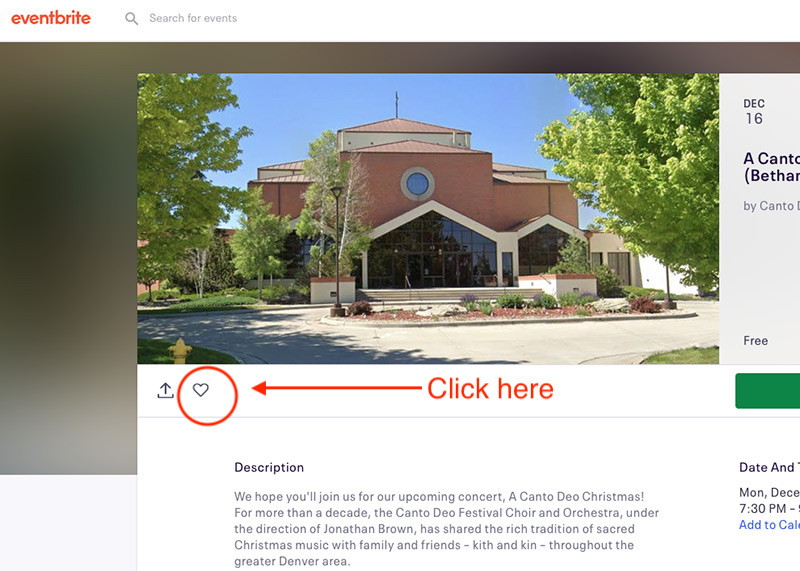
If you have an EventBrite account, log in, then use the search function to search for “Canto Deo.” When you find an event, click on it, then click the “heart” icon to tell EventBrite that you “like” it.
Share Our Events on EventBrite
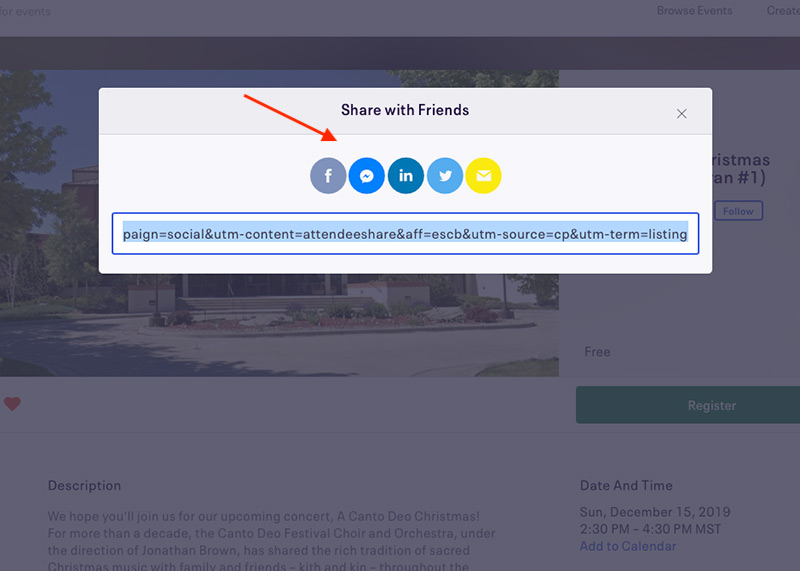
On that same screen, you can also share these events to your own social media profiles. Right next to the heart is a “share” icon, where you can click on it which will then allow you to choose which social network to share the event on.

If you have a Facebook account, click the Facebook icon, and so on. Your options are, in order: Facebook, Facebook Messenger, LinkedIn, Twitter, and Email. Pick whichever one you like best or have an account with. Anything helps!


Like Us on Facebook
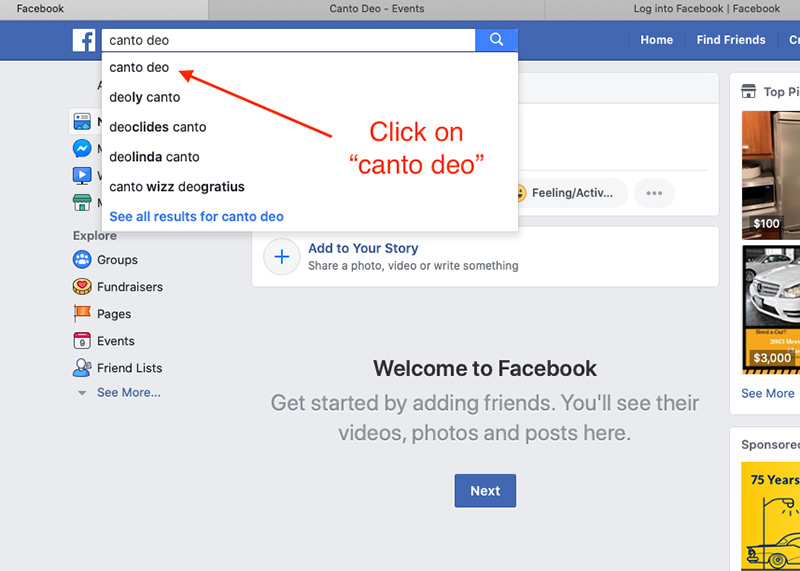
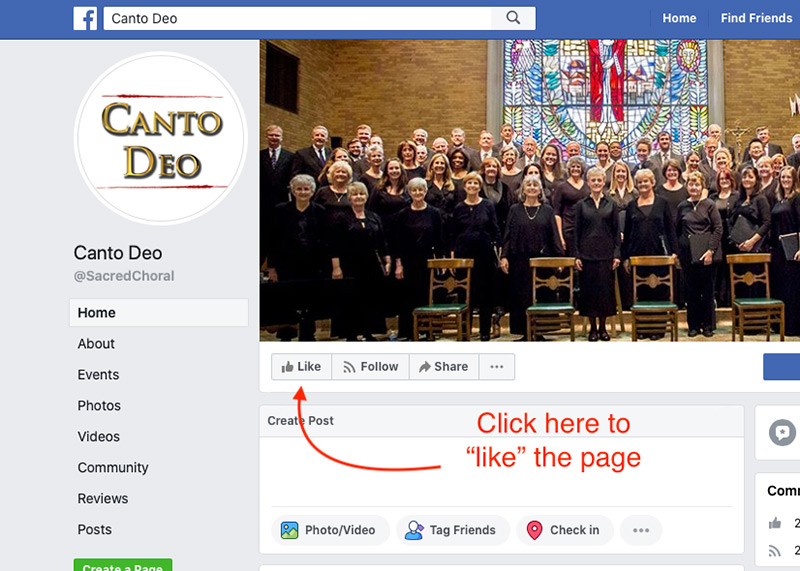
If you have a Facebook account, and if you haven’t already “liked” our page, please do so using the following steps.



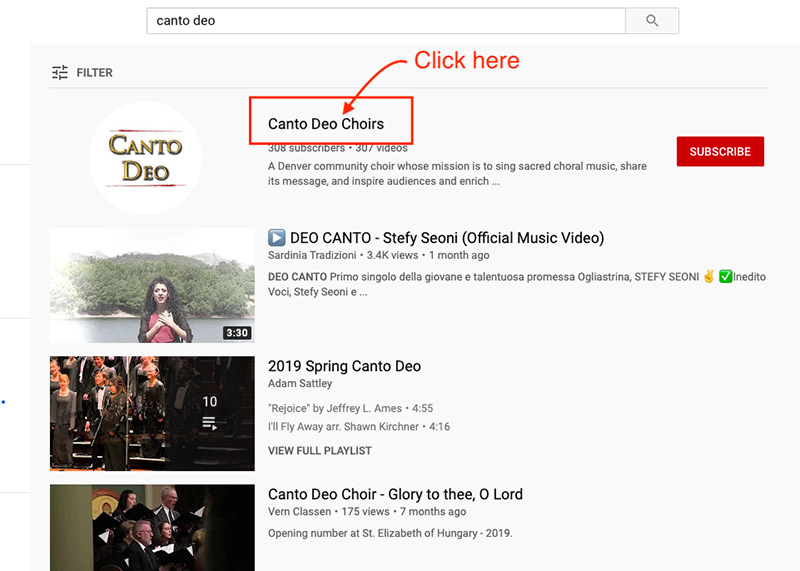
Subscribe To Our YouTube Channel
We post lots of performance videos to our YouTube Channel. If you subscribe here, it will help our channel grow, and you can see what we post from time to time. Note: in order to do this, you need to be logged in. If you have a Google account, a YouTube account, or a Gmail account, you will be able to subscribe. Log in to whichever account you have, then follow these directions.